Documentation
Organisation settings
Your Organisation's identity and address (General tab), plus recurring-invoice rules, the Reserved Wallet and currencies (Billing tab).
Organisation settings holds your workspace's identity and its billing rules. It has two tabs:
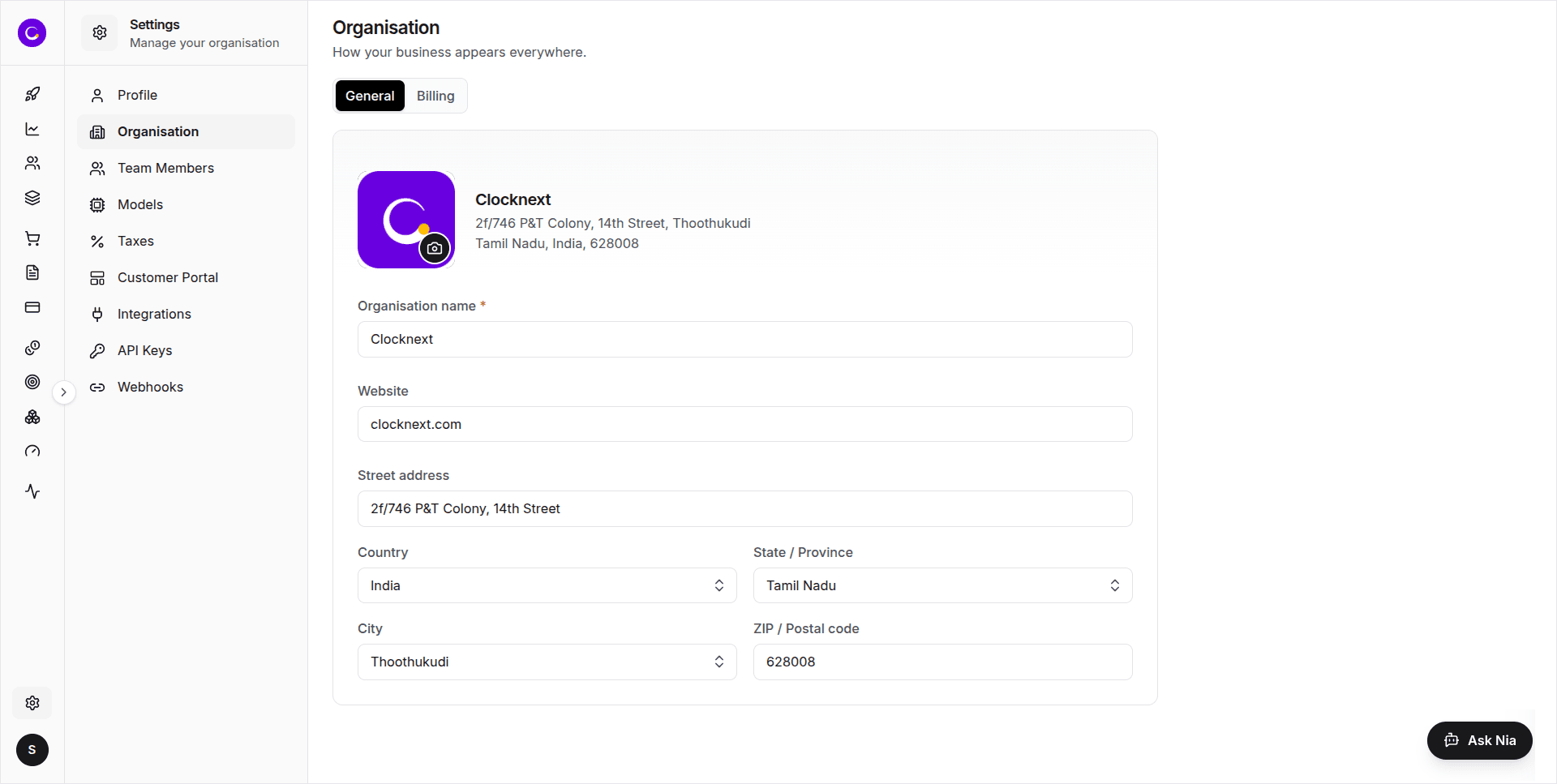
- General — the name, logo, website and address that appear on Invoices and receipts.
- Billing — how recurring Invoices behave, the Reserved Wallet, and the currencies you can price in.
What you can do here
- Upload or change the Organisation logo.
- Edit the Organisation name (required) and website.
- Set the postal address that prints on Invoices and receipts.
- Choose whether Customers get emails for recurring Invoices, and whether recurring Invoices close automatically — for every Customer at once.
- Turn the Reserved Wallet on or off for the whole workspace.
- Add currencies you can price in, choose the primary one, and remove ones you no longer need.
Owner or admin only
If you're a plain member, the whole form is read-only and shows "Only an owner or admin can edit these details." You can still view every field.
General
- Logo — the camera button on the logo uploads or changes it. PNG or JPG, up to 5MB. The logo saves straight away; you don't need the save bar.
- Organisation name — required; shown across the app and on documents.
- Website — optional.
- Address — Street address, Country (a searchable list of every country), State / Province, City and ZIP / Postal code. Picking a Country fills the State list, and picking a State fills the City list. Appears on Invoices and receipts.
Billing
Recurring invoices
These apply to every Customer in the Organisation. A recurring Invoice is one a billing cycle creates (a renewal); the first Invoice of a Purchase is never affected.
- Send invoice and payment emails to customers on recurring (on by default) — when a new billing cycle starts, Customers get the Invoice email, the payment receipt, and a notice if auto-pay fails. Turn it off to stop those emails for recurring Invoices. Emails you send by hand from an Invoice or Payment page still go out. This doesn't affect the first Invoice of a Purchase — its payment receipt is always sent.
- Auto close invoices on recurring (off by default) — every recurring Invoice is issued as Auto closed: the Customer gets their Plan for the new cycle without paying, the Invoice can't be paid or voided, and it isn't counted as revenue. Invoices that are already open are not changed.
Wallet
- Enable Reserved balance in wallet (off by default) — gives every Customer a Reserved Wallet: a reserve fund that absorbs usage once the Wallet balance is used up. It's topped up manually and never expires. See Reserved Wallet.
Currencies
One chip per currency you can price in, all the same width. The primary currency has a highlighted border and an amber star. Other currencies show a star button to Make primary and an × to Remove; USD and the current primary can't be removed. Add currency opens a picker to add more. Each of these saves straight away.
Related
- Profile settings — your personal account details, separate from the Organisation.
- Team Members — invite people and manage their roles.
- Models — the Model catalog that prices usage in your chosen currency.